
Use a small, recognizable sample
Base64 is a way to represent bytes using a restricted text alphabet. It does not require a secret key. A person who has the encoded text can decode it. Do not use Base64 as protection for passwords, customer information or private documents.
Encode Arabic text
Open AGMAD Base64 Converter and choose Encode. Enter مرحبا 😀. The current version 1.0.0 engine produces 2YXYsdit2KjYpyDwn5iA. This sample includes Arabic letters, a space and an emoji, so it checks more than an ASCII-only greeting.
مرحبا 😀
→ 2YXYsdit2KjYpyDwn5iA
→ مرحبا 😀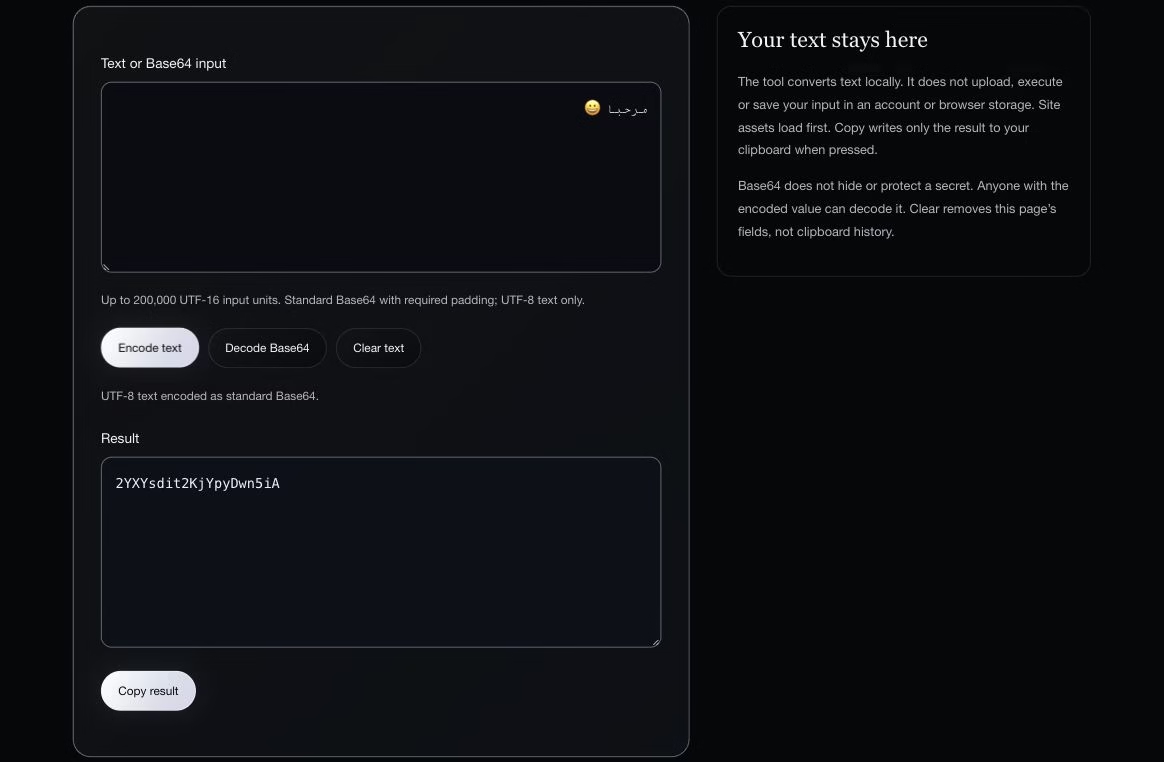
Check the return trip
Switch to Decode, paste the encoded result and convert. The result should be مرحبا 😀, including the space and emoji. We verified that exact round trip against the current local engine. When you use another application, test its expected text encoding with a safe example too.
What the converter accepts
This tool converts UTF-8 text, not arbitrary binary files. It uses standard Base64, with canonical padding where required. Spaces, tabs and line wrapping can be removed during decoding. URL-safe Base64, data-URL prefixes and invalid UTF-8 are outside its accepted input.
Why a short string can fail
Zg is an intentionally incomplete test for this converter: it rejects the missing padding. The standard padded form Zg== decodes to f. A rejection does not prove a string is malicious or unusable everywhere; it means it does not meet this converter’s stated input rules. Check the producing system rather than guessing at a repair.
Use the result carefully
If a system requests Base64, confirm whether it expects text or a file, the standard or URL-safe alphabet, and padded or unpadded output. These are format choices, not different levels of secrecy. Input is limited to 200,000 UTF-16 units. Large text can produce substantially larger encoded output.
Local processing has boundaries
The inspected engine processes text inside the browser without uploading it or saving it in application storage. Page assets must load first. Copying deliberately puts the result on your clipboard; clipboard history or synchronization follows device settings. Use synthetic examples for troubleshooting and keep credentials out of public bug reports.